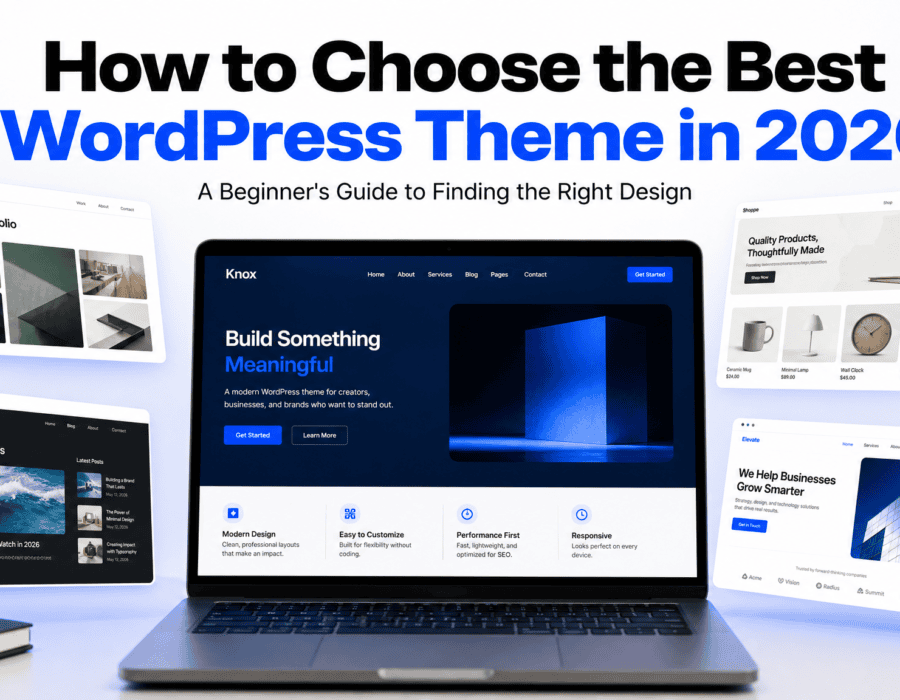
After setting up your WordPress website, you need to decide on giving it an awesome look and feel that suits your style. And for this, you need the perfect WordPress theme.With so much of a selection around, deciding which one to go with can be overwhelming (especially if you are a beginner). However, don’t get worried! In this article, we’ll explain everything about selecting a theme for your site including what to look for and how to pick a WordPress theme that is fast, customizable, mobile friendly, etc.
What is a wordpress theme?
Do you get excited when picking out a new WordPress Theme? If you’re a beginner then maybe you get confused while choosing one from all these thousands of Themes available. And don’t get me wrong, they all look good in their Demos!
So how to decide on which Theme fits your Website best? But before I tell you, make sure you read this article to understand exactly what a WordPress Theme can do.
The overall look & feel (colors, fonts, layout) of your WordPress site.What are Themes?WordPress describes themes this way: “Themes define the overall look & feel of your website — colors, fonts, layout… even stuff like headers, footers, menus, and more.”
Think of it this way: Content is important — but so are themes! Your content is the soul of your website, and your theme determines what kind of user experience your readers will have when they visit.If you’re making a blog, for example, you probably want a theme focused on readability. If you’re making a portfolio, then you’ll probably want one focused on showcasing your projects and images.
But the good news? You don’t necessarily need to be a professional designer or developer to pick out a great theme.All you have to do now is know where to start looking!
Why choosing the right theme matters?
Theme is one of those things that can easily be overlooked when creating your site’s look but it actually plays an important role in how easy your users will find navigating your site as well as making reading it an enjoyable experience.
Choosing your theme based solely on how awesome it looked during the demos can end up being problematic at some point down the road.For instance, perhaps you’ve chosen a theme that has some amazing animations with dozens of nice design features.
But what happens when this website loads really slow on all devices? Or how about the fact that customization of the theme was quite difficult? That’s why we need to dig deep into the matter.
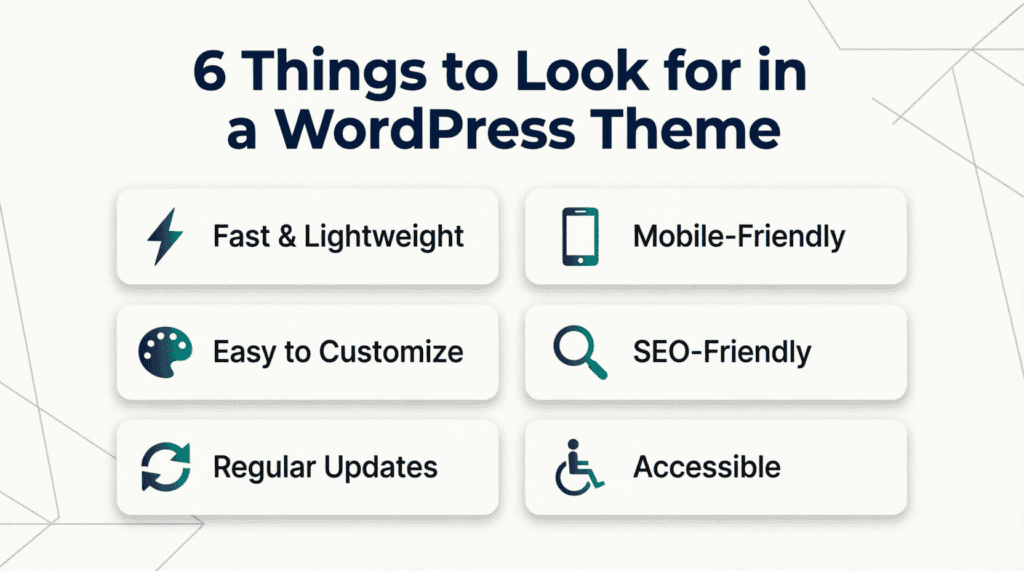
When choosing a theme, think about:
- Website speed
- Mobile responsiveness
- Customization
- SEO
- Accessibility
- Updates
- Support
- Compatibility
- Your website’s purpose
The best themes work for you – not against you.That means a good theme will support your goals instead of getting in your way.
Decide What Your Website Needs
The first thing you need to do if you want the best WordPress theme for your site is understand what type of website you’re looking to build. Don’t just start clicking through hundreds of different themes!
Start by asking yourself:
“What do I actually need my website to do?”That’s all you need to know for making this decision easy!
For a Blog
If you’re creating a blog, look for:
- Clean typography
- Easy-to-read layouts
- Good spacing
- Attractive blog archives
- Category support
- Search functionality
- A simple navigation menu
Make sure that what you have written allows for your reader’s attention to remain focused on your message and content without distraction.
For a Portfolio
If you’re building a portfolio, you may want:
- Image-focused layouts
- Project galleries
- Portfolio sections
- Custom pages
- A strong homepage
- Contact options
You want to show off your work as well.So this design needs to do just that for you.
For a Business Website
A business website may need:
- Professional layouts
- Service pages
- Contact forms
- Testimonials
- Call-to-action buttons
- About pages
Design that makes it simple for your visitors to grasp what you offer your customers.
For an Online Store
We’re assuming that if you are planning on selling stuff online, then you need to pick out a WordPress theme that plays nicely with your e-commerce shop.Think product pages, navigation, checkout, mobile, etc.
The key is simple: When you choose a theme for your site, don’t pick one because it’s beautiful or works well with a particular content structure in the demo—choose a theme that meets specific requirements of your website.
Choose a Fast and Lightweight Theme
Speed is probably one of the most critical factors you have to keep in mind while selecting the best theme.
Who wants to wait on a sluggish site? If a specific theme has a lot of useless components, animations, scripts, or other things that might negatively impact your website’s performance — avoid them!
That doesn’t mean to say that you should go for the most basic theme around — just steer clear of things which you don’t really need!
When checking a theme, look for:
- Clean design
- Lightweight structure
- Minimal unnecessary animations
- Good performance
- Regular updates
- Compatibility with modern WordPress features
In addition to testing the theme’s demo on various devices, you may want to perform some performance tests after setting up this theme.
But remember that there are multiple things besides your theme that affect your site’s speed – including your hosting, plugins, images, fonts, videos, etc. To learn more about WordPress’ dedication to performance, see their dedicated performance initiative here and their related documentation on how to measure & improve website performance here.
Make Sure Your Theme Is Mobile-Friendly
As we all know, there are tons of people browsing the internet using their smartphones.Hence you want your website’s design to look great & perform perfectly at small screens.Responsive Themes do that automatically for you! ✅
Before choosing a theme, check:Check if the menu works fine when using a mobile.
See if the text is readable. Make sure that all buttons are easy to tap.Does your image fit into the screen? Is your layout looking good on your phone? Are you able to easily navigate through important section of your website?
Of course you can also see the desktop version of this theme’s demo to get an impression what it looks like there — however you should definitely test how the theme looks like when opened with your smartphone too.
It could be absolutely awesome when viewed from a big computer screen, but quite different when you open it from your mobile.Try your best to give users a consistent experience regardless of their device’s screen size.
Look for Easy Customization Options
One of the biggest advantages of WordPress is the ability to customize your website. But, there are different levels of customization depending on what kind of theme you use. If you’re a beginner, make sure your theme lets you easily change:
- Logo
- Colors
- Fonts
- Header
- Footer
- Navigation menu
- Page layouts
- Blog layouts
- Spacing
I recommend looking for a good level of control that doesn’t get too messy (at least at first). You don’t want to lose hours hunting around for somewhere to adjust this basic of a thing as you would with some themes!
The best themes offer plenty of options but also provide clear guidance on how to make them work for your website. Some modern WordPress themes let you edit stuff through the Site Editor using blocks, while others have their own customisation system.
WordPress officially supports both block themes and classic themes, so I suggest reading up a little bit about what each method offers before making a selection!
If this is your first time using WordPress, I recommend choosing a simple, easy to use theme. You’ll be able to learn about more advanced customizations later on.
Check Theme Updates and Support
WordPress is constantly evolving, your theme will need to keep up with that too. Before you install a theme, look out for when it was last updated and whether the developer offers documentation or support.
Look for:
- Recent updates
- Good user reviews
- Active development
- Clear documentation
- Support options
- Compatibility with current WordPress versions
A theme that hasn’t been updated for a very long time probably isn’t your best bet when creating a new website.
Not necessarily because the old one is terrible but just because you want to be extra cautious about things. You might need to look into the maintenance aspect a bit before jumping ship from one.
Also, if you’re buying a premium one, ask yourself what kind of support comes with it — and for how many years do you get updates?The reason I’m writing this guide now instead of last year is because I know you’re going to have a website for many years ahead.You need a WordPress theme that’s going to continue developing along with your site.
Choose an SEO-Friendly Theme
Your theme can’t single-handedly get your website to rank at the very top of Google.
But your theme will definitely play a role in both the overall user experience for visitors, as well as the technical underpinnings that help search engines understand your site.
When looking for an SEO-friendly theme, consider:
- Fast loading times
- Mobile responsiveness
- Clean structure
- Proper heading hierarchy
- Readable typography
- Good accessibility
- Compatibility with popular SEO plugins
While these themes do help with some aspects of SEO, don’t expect them to be the magic solution for guaranteed high rankings on Google. SEO involves more than just having a good theme. The content you write, site structure, tech SEO, backlinks, UX, and more all have an impact on how well a site does in searches.
Think of your theme as a foundation. A good foundation makes life a little easier, but that doesn’t mean that you don’t have to do everything else right!
Don’t Forget About Accessibility
For beginner users, this might be overlooked.However, an accessible website is one that can be used by everyone – people with or without disabilities, those using keyboards, screen readers, or even assistive tech – without hindrance.
When looking at themes, check out some of these accessibility-friendly features:
- Clear color contrast
- Keyboard navigation
- Meaningful heading structures
- Accessible forms
- Descriptive links
- Alternative text support for images
- Visible focus indicators
The WordPress Theme Review team has accessibility requirements relating to things like keyboard navigation, skip links, meaningful headings, color contrast, and alt text. They’ve even updated their accessibility-ready requirements as recently as 2026.
But you don’t have to go out and get certified as an accessibility expert first thing when getting ready to launch your website. All you really need to know is this: make sure that your website is as easy to use by as many people as possible!
Free vs Premium WordPress Themes
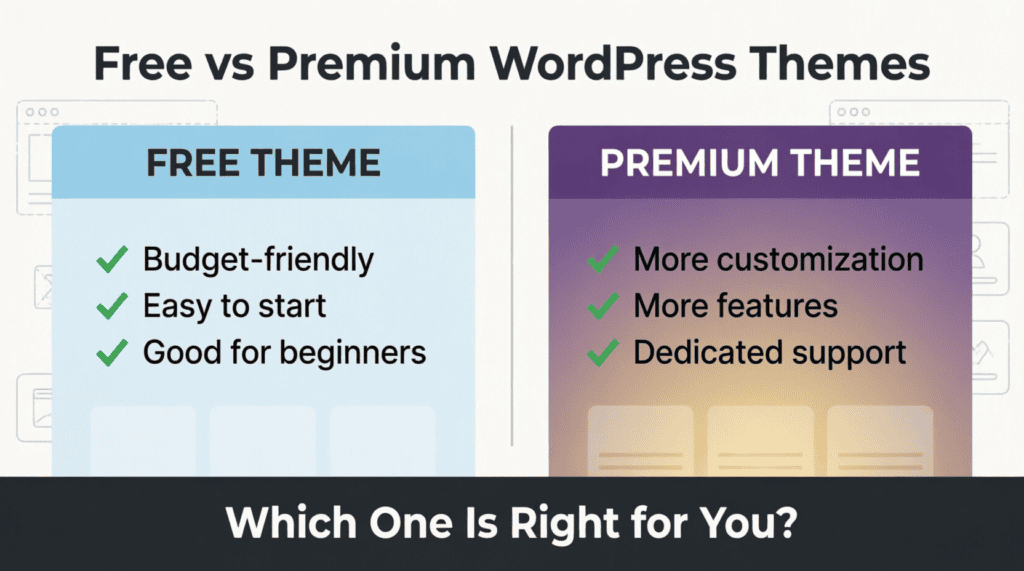
One question almost every beginner asks is:Free vs Premium? Should I go for a free theme or should I purchase a premium one? Your choice depends on your requirements.
Free Themes
If this is your first website, then free themes are definitely a great starting point, since they cost nothing to get started with.
You’ll find lots more free themes on the official WordPress Theme Directory – there’s literally thousands to choose from!
Advantages can include:
- No upfront cost
- Easy to try
- Good for beginners
- Suitable for simple websites
However, you may find that there are fewer customization options available or more limited support offered for these types of themes.
Premium Themes
Premium themes will typically cost some amount of money — often with added bonuses such as additional functionality, customizations, documentation, etc.
These premium themes can help when extra flexibility for your site’s look & feel are needed. But remember, just because it costs doesn’t automatically make it better!
However, there might also be cases where you buy a premium theme that’s either badly-designed or over-packed with useless features.
Before buying, check:
- Included Features?
- Update Frequency?
- Is Support Included?
- What about the updates?
- Is it compatible with my plugins?
- I have questions about the refund policy too!
It’s important to remember that you don’t always have to go for the most expensive option when choosing a template. Ultimately, pick the one that suits your needs.
Where Should You Get Your WordPress Theme?
Official WordPress Theme directory – You can also explore various free wordpress themes from their theme gallery sorted by various features, layouts & styles.
Starting With Trusted Sources For Beginners to help you begin exploring for free wordpress themes, here are some trusted resources:
If you are planning to use some themes from other websites then do your own research first before installing those on your blog/website.
check:
- Who created it?
- Is the developer trustworthy?
- Do they provide updates?
- Is there documentation?
- Are reviews available?
- Does this theme come with a support system?
Also remember that when downloading themes from unknown websites be cautious since there could be some hidden stuff inside those free-looking themes.
If you’re still confused about selecting a good theme, then for beginners I would suggest choosing one from a renowned website instead of risking your site unnecessarily.
Don’t Choose a Theme Just Because It Looks Good
Probably that’s the most important thing I’m going to say here. When visiting a theme’s demo website, it all looks great (images are nice)… You can see that it’s a professional work. And the layout also look amazing. But keep in mind that this is only a Demo.
Also, note that your website won’t look exactly like this right out of the box once you install this theme. You’d have to add your content, images, logo, colours, etc. So don’t base your choice solely upon the theme’s demo.
Instead, ask yourself:
“Will this theme work well for my content?”
For instance, if you’re setting up a blog, maybe a simple theme with great typography works better over something flashy full of animations.If you’re creating a portfolio site, perhaps focusing on visuals makes sense.
Pick a design style (called “theme”) for your website that will make your stuff look awesome. Don’t pick something too flashy. Pick something that doesn’t distract from the content of your site!
How to Install a WordPress Theme
Once you have your perfect theme, installing it should be pretty straightforward.
From your WordPress dashboard:
You have log into your WordPress admin panel. From there navigate to “Appearance” section. Then click on “Themes”.
Add New Theme. Search for your theme. Install.If you’ve got a theme file from a trusted developer on hand, you can go ahead and try to upload them here using the dashboard as well.
Once activated, visit your site to see how everything looks.
Don’t worry if it does not look exactly as the demo: you’ll have to customize it and add your own content.
What to Do After Installing Your Theme
That’s just the start!
After you’ve installed your theme, take some time to customize your site. Start here for some ideas.
Add Your Logo
You’ll upload your logo here — and check that it looks good on desktop and mobile.
Choose Your Colors
Choose a simple palette of colors that match your brand. Don’t overdo it with colors.
Select Your Fonts
Use easy-to-read fonts. If your website has long content such as blogs, readability plays an important role.
Create Your Navigation Menu
Make sure it’s easy for your website visitors to find key pages.
For example:
Home → About → Blog → Contact
You can also always add more items as you grow your website.
Customize Your Homepage
What’s on your homepage? Does it quickly explain what this website is about?
For example, if I’m using my website to run a blog, then I would highlight my latest or most important articles.
Check Your Mobile Design
After you’ve customized your website, be sure to take a look at how it looks on your phone too!
Look for problems such as:
- Text that’s too small
- Buttons that are difficult to tap
- Menus that don’t work
- Images that don’t fit
- Content that goes outside the screen
Fix these issues before you promote your website.
Final thoughts
Don’t panic! Choosing the perfect WordPress theme for you should never come down to comparing hundred themes and choosing based on the longest list of features. So, how do I get started? First things first: Understand what you need from your website.
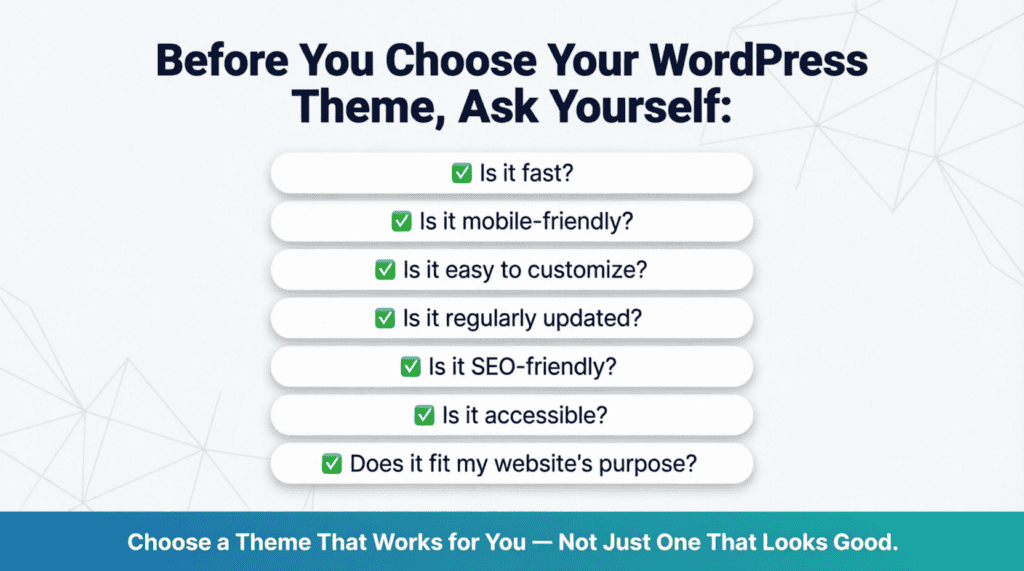
Then look for a theme that is:
- FastMobile-friendly
- Easy to customize
- Regularly updated
- SEO-friendly
- Accessible
- Compatible with your needs
So while we hope that our suggestions above help guide you towards the best theme for you, remember — don’t get bogged down by trying to find the “perfect” theme! Launching your website with whatever option ends up being your favorite is key. As you start learning more about WordPress, you’ll likely find new ways to enhance your website’s appearance and user experience. You’re never too far along to tweak things if need be!
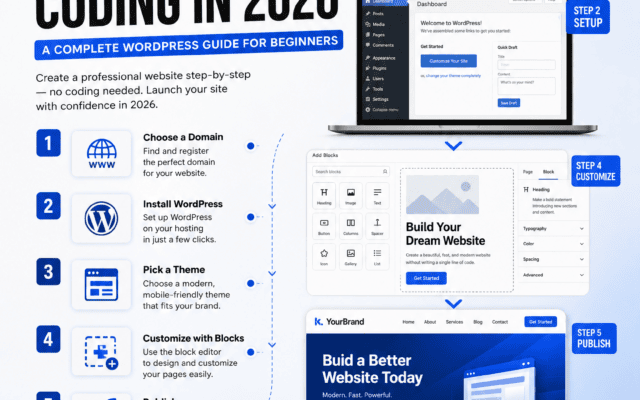
If you are a complete beginner to WordPress, I recommend reading my previous article How to Build a Professional Website Without Coding in 2026: An Easy WordPress Guide for Beginners which explains the basics steps including how to choose a domain & host, install WordPress, set up your website and get going with some simple SEO.
Then once everything is set up, concentrate on building great stuff for your audience. You don’t even need the perfect theme to get started!As long as you have a solid foundation & desire to build on top of it, all you have to do is pick a theme that suits you best, make it yours, then create away!